



TL;DR:
- Every 1-second delay in load time costs you roughly 7% of conversions. For a store doing $50,000/month, a 5-second load time versus a 2-second load time means losing approximately $10,500/month in revenue.
- The #1 culprit is almost always your apps, not Shopify itself. The average merchant installs 6 apps, but growing stores often accumulate 15 to 25. Each one injects JavaScript that compounds into seconds of delay.
- Quick Answer: Open Google PageSpeed Insights, test your store’s mobile score, then do these three things today: compress your hero images under 200KB, delete every app you haven’t used in 30 days, and enable lazy loading in your theme settings. These alone can improve your mobile score by 15 to 30 points.
Table of Contents
Your Shopify store is slow. You know it. Your customers definitely know it. And Google knows it too, because it’s using that slow mobile experience to decide where you rank in search results.
Here’s what makes this so frustrating: you’re paying Shopify every month. You’d expect a hosted platform to just be fast. And Shopify’s infrastructure actually is fast. The platform itself loads in under a second. The problem isn’t Shopify. It’s what you’ve put on top of it: uncompressed images, a bloated theme, and apps. Lots and lots of apps.
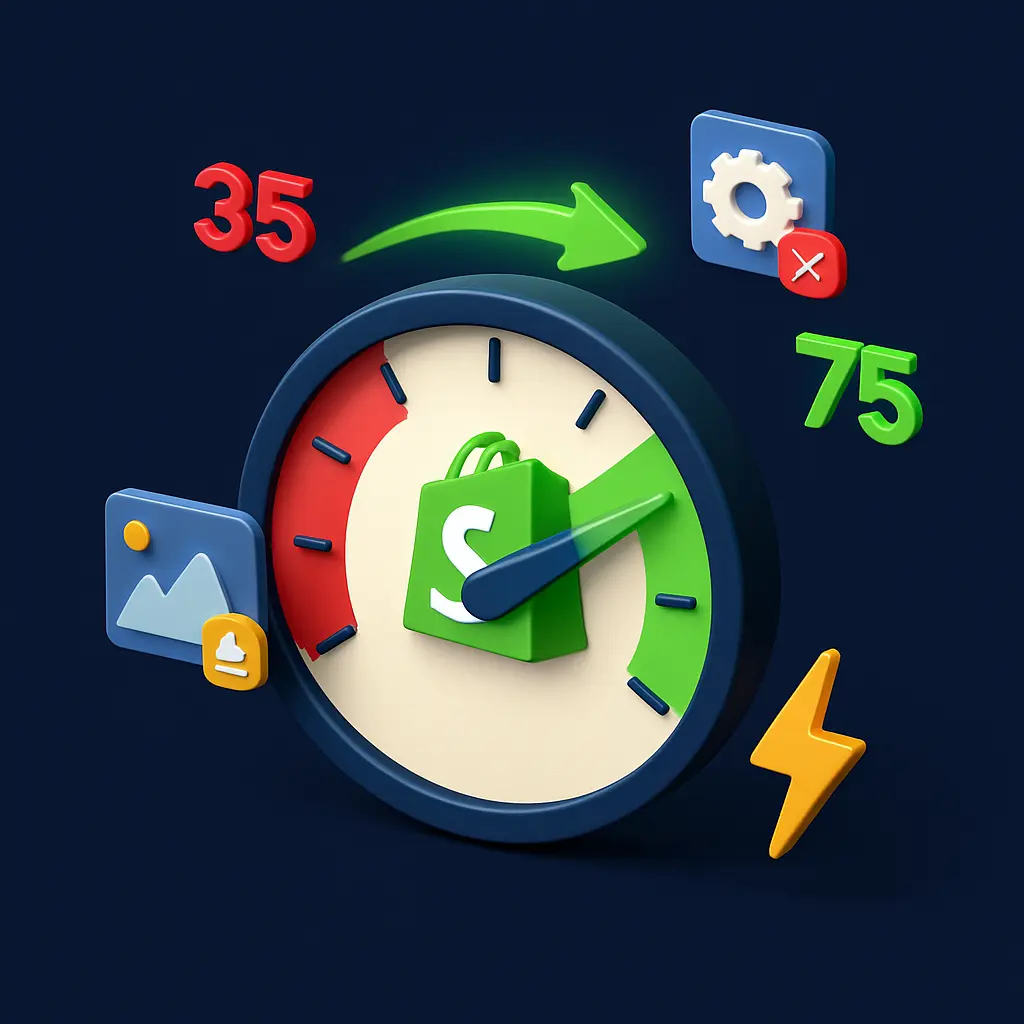
The average Shopify store scores between 35 and 50 on Google’s mobile PageSpeed Insights test. Anything above 70 puts you ahead of most competitors. A perfect 100? Nearly impossible on Shopify due to platform-level scripts you can’t control. But getting from 35 to 70 is absolutely achievable, and the revenue impact of doing so is massive.
The Money You’re Burning Right Now: Your Speed Tax
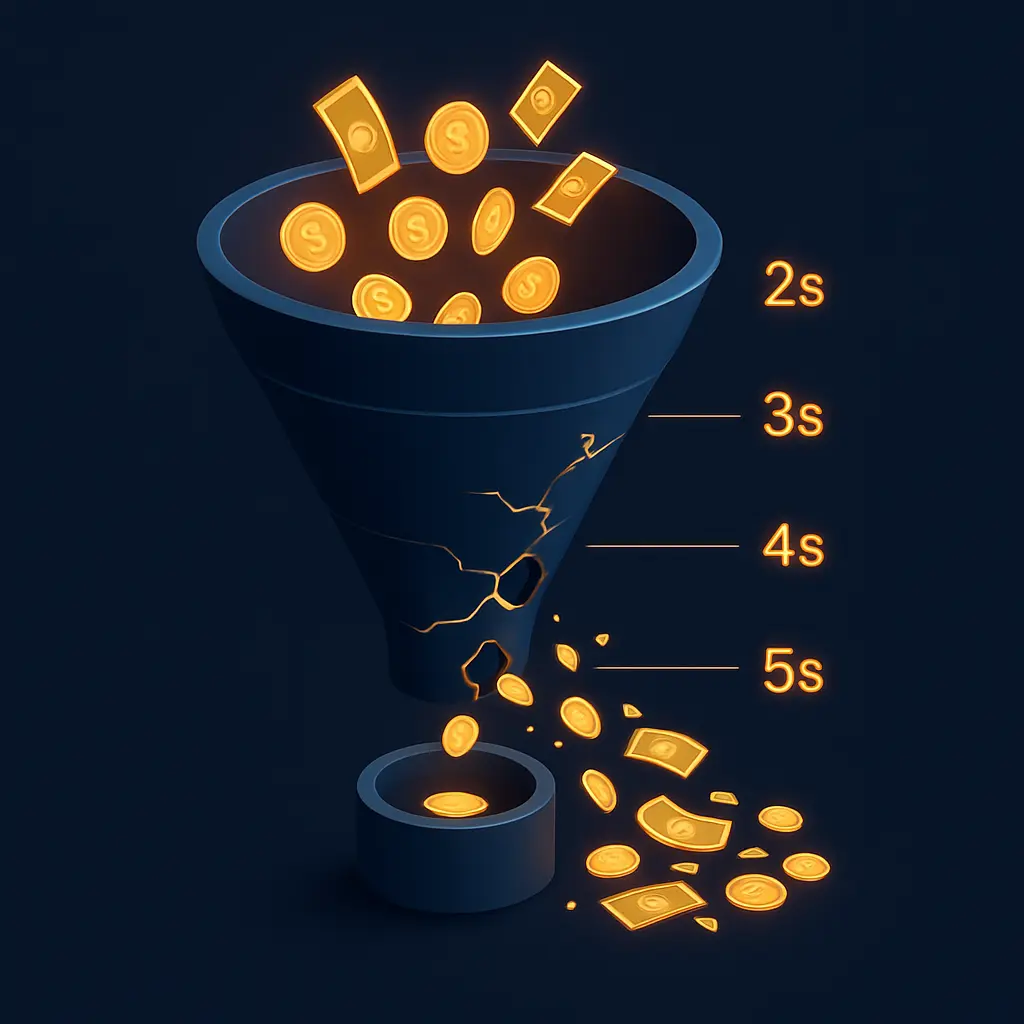
Let’s turn your slow load time into a dollar amount. Research consistently shows that a 1-second delay in page load time reduces ecommerce conversions by up to 7%. A Deloitte study found that even a 0.1-second improvement in mobile load time can boost retail conversions by 8.4%. This isn’t marginal. This is your profit margin.
| Load Time | Bounce Rate | Conversion Impact | Monthly Revenue Lost ($50K/mo store) |
|---|---|---|---|
| Under 2 seconds | 25% | Baseline (optimal) | $0 lost |
| 3 seconds | 32% | Minus 7% conversions | $3,500/month |
| 4 seconds | 40% | Minus 14% conversions | $7,000/month |
| 5 seconds | 53% | Minus 21% conversions | $10,500/month |
| 6+ seconds | 65%+ | Minus 30%+ conversions | $15,000+/month |
Google’s own research confirms that 53% of mobile visitors abandon a site entirely if it takes longer than 3 seconds to load. Your store doesn’t get a second chance with those visitors. They’re gone, and they’re buying from your faster competitor.
If your Shopify store has traffic but conversions aren’t matching, speed may be the hidden leak. Our detailed guide on why Shopify stores get traffic but no sales covers 7 diagnostic checkpoints including speed.
📥 Free Resource: Speed is just one piece of the conversion puzzle. Download our free 27-Point E-Commerce Conversion Checklist to audit every element affecting your Shopify store’s performance.
Download Free Checklist →
How to Check Your Shopify Store Speed (The Right Way)
Before fixing anything, you need to know where you stand. Open Google PageSpeed Insights and enter your store URL. Click the Mobile tab (this is what matters most since 79% of Shopify traffic is mobile).
What Your Score Means in Plain English
Mobile 70+: Excellent for Shopify. You’re ahead of the vast majority of stores. Focus on maintaining, not overhauling. Mobile 50 to 69: Average. You have room for meaningful improvement with quick wins. Mobile below 50: Your speed is actively costing you sales. Prioritize the fixes below immediately.
The 3 Core Web Vitals (Simplified)
LCP (Largest Contentful Paint): How fast your biggest visible element loads. Usually your hero image. Target: under 2.5 seconds. INP (Interaction to Next Paint): How fast your site responds when someone taps a button. Target: under 200 milliseconds. CLS (Cumulative Layout Shift): Does stuff jump around while loading? That annoying experience where the button moves just as you’re about to tap it. Target: under 0.1.
You can also check your speed directly in Shopify Admin under Online Store, then Themes. Shopify’s built-in Web Performance Dashboard now shows your Core Web Vitals using real visitor data, not lab simulations.
Shopify Store Speed Slow Fix: Tier 1, Do These Today (5 Minutes Each)
These are the highest-ROI fixes because they take minutes but can shave seconds off your load time.
| Fix | Time | Difficulty | Expected Improvement | How To |
|---|---|---|---|---|
| Compress hero images | 5 min | Easy | 0.5 to 1.5 seconds faster | TinyPNG or ShortPixel, target under 200KB |
| Remove unused apps | 5 min per app | Easy | 0.2 to 0.5 seconds per app | Apps section, Delete any app unused for 30 days |
| Disable unnecessary app embeds | 5 min | Easy | 0.3 to 0.8 seconds | Theme Editor, App Embeds, Toggle off unneeded |
| Use system fonts | 10 min | Easy | 0.2 to 0.4 seconds | Theme Settings, Typography, choose system stack |
| Enable lazy loading | 5 min | Easy | 0.5 to 1.0 seconds | Built into most Online Store 2.0 themes |
The image compression fix alone is often the single biggest win. Images account for a massive portion of total page weight on most Shopify stores. Your hero banner is probably a 2400px wide, 1.2MB file that loads on a 390px phone screen. Compress it to under 200KB using TinyPNG and your LCP score can improve dramatically overnight.
Tier 2: Do These This Week (30 Minutes Each)
Convert All Product Images to WebP Format
WebP images are approximately 25% to 40% smaller than JPEG while maintaining the same visual quality. Shopify now automatically serves WebP to compatible browsers, but only if your original upload is optimized. Before uploading, run product images through ShortPixel or Squoosh.app. Target: under 100KB per product image, under 200KB for lifestyle and hero images.
Replace Embedded YouTube Videos With Thumbnail Plus Click-to-Load
An embedded YouTube video loads an iframe with multiple scripts that can add 1 to 2 seconds to your page load. Replace it with a static thumbnail image and a play button. When the visitor clicks, the video loads. This technique is called “facade loading” and it eliminates the upfront performance cost for visitors who never play the video.
Audit Theme Features vs App Features
Many Online Store 2.0 themes now include built-in features that previously required apps: countdown timers, color swatches, product filtering, image galleries, and announcement bars. If your theme already has a feature but you also have an app doing the same thing, you’re paying twice in both money and load time. Check your theme’s documentation. You might be able to delete 2 to 3 apps today.
Reduce Homepage Sections
Every section on your homepage loads its own HTML, CSS, and images. A homepage with 15 sections takes significantly longer to render than one with 8 sections. Audit which sections actually contribute to conversions. Does your homepage need a blog feed, an Instagram gallery, AND a testimonial carousel, AND a brand story section, AND a newsletter signup? Probably not. Cut the weakest performers.
Defer Non-Critical JavaScript
Chat widgets, review popups, analytics tools, and social proof notifications don’t need to load before your product images. Defer them so they load after the main content. In Shopify, go to your Theme Editor, then App Embeds. For apps that support it, enable “lazy load” or “deferred loading” options. This prioritizes what your customer sees first.
Tier 3: Hire a Pro For These (Highest Impact, Technical Skills Needed)
These fixes deliver the biggest improvements but require someone who understands Liquid code, JavaScript optimization, and Shopify’s theme architecture.
- Theme code optimization: Removing unused CSS and JavaScript from your theme files. A professional can audit your theme’s asset pipeline and eliminate dead code that adds weight to every page load.
- Custom lazy loading for product collections: Default lazy loading covers basic images. Custom implementation can defer entire collection grids, product recommendation sections, and filter interfaces until they’re needed.
- Migration to a faster theme: Sometimes the fastest fix is starting with a better foundation. Shopify’s Horizon theme is now considered the flagship free theme for speed, built with modern component-driven architecture. If your current theme is 3+ years old, a migration can deliver dramatic improvements.
- Advanced script management: Loading third-party scripts conditionally. Your review widget only needs to load on product pages, not your homepage. Your chat widget might only need to load after 30 seconds. This granular control requires custom development.
If your PageSpeed mobile score is below 40 despite trying the Tier 1 and 2 fixes, professional optimization is the fastest path to results. Our Shopify development team handles these technical optimizations as part of every build.
The App Audit: Your Biggest Speed Killer Hiding in Plain Sight
This is the section most speed guides skip, and it’s the most important one. Every app you install on Shopify injects JavaScript into your store’s frontend. The average merchant installs 6 apps, but stores in growth mode often accumulate 15, 20, even 30 over time. Each one adds processing time.
| App Category | Typical Speed Cost | Examples | Faster Alternative |
|---|---|---|---|
| Review Apps | 200 to 500ms | Judge.me, Loox, Yotpo | Keep one, remove the rest |
| Pop-up/Exit Intent | 150 to 400ms | Privy, OptiMonk, Justuno | Use theme’s built-in pop-up section |
| Chat Widgets | 200 to 600ms | Tidio, LiveChat, Zendesk | Load only on specific pages, not sitewide |
| Analytics Add-ons | 100 to 300ms | Lucky Orange, Hotjar | Use Shopify Analytics plus GA4 only |
| Social Proof | 150 to 350ms | Fomo, Sales Pop, ProveSource | Remove entirely or use lightweight CSS-only solution |
| Currency Converters | 100 to 250ms | Various | Use Shopify Payments multi-currency (built-in) |
The “Disable and Test” Method
Here’s exactly how to identify your worst offenders. Go to your Theme Editor, click App Embeds. You’ll see every app that loads scripts on your storefront. Toggle them off one at a time, then run a PageSpeed test after each toggle. Write down the score after each change. This reveals exactly which apps are costing you the most speed. The results are often shocking.
We recently audited a Shopify store doing $35K/month with 23 apps installed. Their mobile PageSpeed score was 31. After identifying and removing 11 apps that were either unused, redundant, or replaceable by theme features, their score jumped to 64. That’s 33 points from deleting apps alone, with zero design changes, zero code changes, and zero money spent. This is also one of the most common ecommerce design mistakes we see on client stores.
The Consolidation Strategy
Instead of running 3 separate apps for reviews, loyalty, and referrals, look for an all-in-one solution. Multifunctional apps like Vitals or Growave combine features that would otherwise require 5 to 8 individual apps. Fewer apps means fewer scripts, fewer HTTP requests, and a faster store. One client reduced their app count from 18 to 7 using this strategy, saving $185/month in app fees and improving their load time by 1.8 seconds.

Realistic Speed Targets for Shopify Stores in 2026
Let’s set honest expectations. Shopify will never score 100 on PageSpeed Insights. The platform injects its own scripts (analytics, checkout, Shopify’s CDN) that you cannot remove or defer. This is the trade-off for a managed platform that handles your hosting, security, and infrastructure.
What You Should Actually Target
- Mobile PageSpeed: 65 to 80. This range puts you ahead of the vast majority of Shopify stores (remember, the average is 35 to 50). Stores scoring 70+ on mobile convert significantly better than those below 50.
- Desktop PageSpeed: 85 to 95. Desktop is easier to optimize because devices are more powerful and connections are faster.
- LCP: Under 2.5 seconds. This is Google’s “good” threshold and the metric that matters most for perceived speed.
- INP: Under 200 milliseconds. This is Google’s interactivity target.
- CLS: Under 0.1. This prevents the annoying “content jumping” that frustrates mobile users.
Don’t chase a perfect score. Chase real-world performance. Shopify’s own engineering team acknowledges that Lighthouse scores are a proxy for performance, not performance itself. A store scoring 65 with excellent real-user metrics (fast perceived loading, smooth interactions) will outperform a store that hacks its way to 90 through tricks that don’t improve actual user experience.
If you need a professional UX audit to determine exactly what’s slowing your store and prioritize fixes by revenue impact, that’s what our ecommerce optimization team does every week.
Frequently Asked Questions
Q: Why is my Shopify store so slow even though I’m paying for a premium plan?
A: Your Shopify plan determines your subscription features and transaction fees, not your site speed. Speed is determined by three things: your theme (how efficiently it’s coded), your apps (how many scripts they inject), and your content (image sizes and page complexity). Shopify’s infrastructure is fast. What you’ve built on top of it is what’s causing the slowdown. The good news: all three factors are within your control.
Q: How do I check my Shopify store’s page speed accurately?
A: Use Google PageSpeed Insights and always check the Mobile tab first (that’s what Google uses for ranking decisions). For real-user data, check your Shopify Admin under Online Store, then Themes, where the Web Performance Dashboard shows your actual Core Web Vitals based on real visitor behavior over the past 28 days. Use both tools together for the most accurate picture.
Q: Which Shopify apps slow down my store the most?
A: Chat widgets (200 to 600ms), review apps (200 to 500ms), and pop-up/exit intent apps (150 to 400ms) are the most common speed offenders because they load heavy JavaScript on every page. Use the “disable and test” method: go to Theme Editor, then App Embeds, toggle off apps one at a time, and run a PageSpeed test after each toggle to identify your worst offenders.
Q: Can changing my Shopify theme improve speed?
A: Yes, dramatically. Older themes or heavily customized themes often carry bloated code. Shopify’s Horizon theme (their current flagship free theme) is built with modern component-driven architecture and optimized asset loading. Migrating from an outdated theme to a well-built Online Store 2.0 theme can improve your PageSpeed score by 20 to 40 points. Always test a theme’s demo store on PageSpeed Insights before purchasing.
Q: What is a realistic PageSpeed score for a Shopify store?
A: Target 65 to 80 on mobile and 85 to 95 on desktop. The average Shopify store scores 35 to 50 on mobile, so anything above 70 puts you ahead of most competitors. A perfect 100 is nearly impossible on Shopify because the platform loads its own required scripts that you cannot remove. Don’t chase perfection. Chase the 65 to 80 range where real conversion improvements happen.
Q: How long does it take to see results after optimizing Shopify speed?
A: Quick wins (image compression, app removal, lazy loading) show immediate results in your next PageSpeed test. Google’s real-user data (Core Web Vitals in Search Console) typically updates within 28 days as new visitor data replaces old measurements. SEO ranking improvements from better Core Web Vitals can take 2 to 8 weeks to manifest. Conversion rate improvements are often visible in Shopify Analytics within 1 to 2 weeks of implementing significant speed fixes.
🚀 Need Professional Help?
Tried the quick fixes but still scoring below 60? Our Shopify Growth package ($4,999) includes professional speed optimization, image compression pipeline, app consolidation, and ongoing performance monitoring. Most stores see their mobile PageSpeed score jump 30 to 50 points within two weeks.