




TL;DR:
- If your WordPress site has been hacked, do these 3 things right now: (1) Put your site in maintenance mode, (2) Change every password (WordPress, hosting, FTP, database), (3) Contact your hosting provider and tell them your site is compromised.
- 90% of WordPress hacks come from outdated plugins, not WordPress itself. The fix is almost always recoverable if you act fast and follow the right steps.
- Quick Answer: Most hacked WordPress sites can be fully cleaned and restored within 24 to 48 hours using either DIY tools (Wordfence, Sucuri, MalCare) or a professional recovery service ($300 to $1,500). Google warnings typically clear within 1 to 3 days after a successful review request.
Table of Contents
Your WordPress Site Got Hacked. Take a Breath.
First: you’re not alone, and this is fixable. Over 30,000 websites are hacked every single day according to cybersecurity data from Sophos and other threat intelligence sources. WordPress powers roughly 43% of all websites on the internet, which makes it the number one target for automated attacks. This isn’t happening because you did something wrong. It’s happening because attackers cast wide nets, and WordPress is the biggest ocean.
At BK Web Designs, we’ve recovered dozens of hacked WordPress sites over the past decade. Client stores, professional service firms, membership sites, blogs generating six figures in ad revenue. The pattern is almost always the same: an outdated plugin created a backdoor, automated bots found it, and malware was injected. The good news? We’ve never encountered a hack that was unrecoverable.
This guide walks you through exactly what to do, step by step, in plain English. No command line. No developer jargon. Just clear actions, starting with what to do in the next 30 minutes. Some steps you can handle yourself. Others might require professional help. We’ll be honest about which is which.
📥 Free Resource: Worried your site has hidden vulnerabilities? Download our free Website Redesign Audit Checklist. It includes a 10-point security assessment you can run in 30 minutes.
Download Free Checklist →
How to Confirm Your WordPress Site Is Actually Hacked (5 Signs)
Before you panic, let’s confirm what you’re dealing with. Not every glitch is a hack. Sometimes a plugin update breaks something, or your hosting has a temporary issue. Here are the definitive signs of a real compromise:
| Sign | What You See | Severity | Immediate Action |
|---|---|---|---|
| Google “Dangerous” warning | Red warning screen when visiting your site saying “Deceptive site ahead” or “This site may harm your computer” | 🔴 CRITICAL | Contact hosting provider immediately |
| Spam redirects | Your site redirects visitors to casino, pharma, or adult content pages | 🔴 CRITICAL | Put site in maintenance mode now |
| Unknown admin users | New user accounts in your WordPress dashboard that you didn’t create | 🟡 HIGH | Change all passwords, delete unknown users |
| Sudden extreme slowness | Site went from normal speed to painfully slow overnight | 🟡 MEDIUM | Check for cryptocurrency mining scripts in your source code |
| Strange files on server | Files with random names appearing in your hosting file manager that you never uploaded | 🟡 HIGH | Do NOT delete them yet. Screenshot everything first |
| SEO spam pages | Hundreds of pages in Japanese, Chinese, or gibberish text indexed in Google under your domain | 🟡 HIGH | Check Google Search Console for newly indexed pages |
If you see any of the CRITICAL signs, skip ahead to the next section immediately. For HIGH and MEDIUM signs, continue reading to understand the full picture before taking action.

WordPress Site Hacked Fix: The First 30 Minutes (Emergency Triage)
Speed matters here. The longer malware stays active on your site, the more damage it does to your SEO, your customer data, and your reputation. Here’s your 30-minute triage plan.
Step 1: Put Your Site in Maintenance Mode (5 Minutes)
If your site is redirecting to spam or showing malicious content, take it offline immediately. This prevents visitors from seeing compromised content and stops Google from crawling more infected pages.
How: Log into your hosting control panel (cPanel, Plesk, or your host’s dashboard). Look for a “File Manager” option. Navigate to your site’s root directory and rename your .htaccess file to .htaccess_backup. Then create a simple index.html file that says “Site under maintenance. We’ll be back shortly.” If you can’t access your hosting panel, call your hosting provider’s support line directly.
Step 2: Change Every Password Immediately (10 Minutes)
Change all of these right now, in this order:
- WordPress admin password (all admin-level user accounts, not just yours)
- Hosting control panel password
- FTP/SFTP password
- Database password (you’ll need to update wp-config.php to match, or ask your host to help)
- Email account passwords associated with the domain
Use a password manager like 1Password or Bitwarden to generate unique 20+ character passwords. Do not reuse any previous password. If any of these passwords was shared across other services, change those too.
Step 3: Contact Your Hosting Provider (5 Minutes)
Call or live-chat your hosting company. Tell them: “My WordPress site has been compromised. I need you to help me identify if the infection has spread to other sites on my account, and I need you to check your server-side logs for the entry point.” Good hosts like SiteGround, Cloudways, and WP Engine have security teams that deal with this daily. They can often isolate your account and provide server-side scan results.
Step 4: Screenshot and Document Everything (10 Minutes)
Before you start cleaning anything, document the current state. Take screenshots of the hack symptoms (redirects, spam pages, unknown users, Google warnings). Check Google Search Console for security alerts. Save copies of any suspicious emails from your host. This documentation is critical if you need to file a cyber insurance claim, report to authorities, or prove to Google that you’ve resolved the issue.
The Full Recovery Process (Step by Step)
Once you’ve completed the 30-minute triage, here’s how to fully clean and restore your site. This section is for business owners who want to attempt DIY recovery. If at any point this feels overwhelming, that’s completely normal and jumping to the professional help section below is the smart move.
Phase 1: Identify the Infection Source
Sucuri’s 2024 Website Threat Research Report (the most recent comprehensive dataset) found that outdated or vulnerable plugins and themes were the leading cause of WordPress infections. In fact, over 90% of the cleaned WordPress sites they analyzed in their most recent annual report had issues traceable to extensions rather than WordPress core. The core software itself is rarely the vulnerability. It’s almost always a plugin or theme that hasn’t been updated.
What to do: Install and run Wordfence (free version). Run a full site scan. It will flag infected files, modified core files, known malware signatures, and suspicious code. Make a list of every flagged item before deleting anything.
Phase 2: Clean the Malware
You have three options here, from simplest to most thorough:
- Use a security plugin’s auto-clean feature. Wordfence, Sucuri, and MalCare all offer one-click malware removal. MalCare’s premium version ($99/year) is the most business-owner-friendly. It removes malware without requiring you to understand what it’s doing behind the scenes.
- Restore from a clean backup. If you have a backup from before the hack occurred (check your hosting provider’s backup system or plugins like UpdraftPlus), restoring from that backup is often the fastest path. After restoring, immediately update all plugins, themes, and WordPress core before the same vulnerability gets exploited again.
- Manual cleanup. This involves comparing infected files to clean originals, removing injected code, cleaning the database, and checking for backdoor files. This is developer-level work. If you’re not comfortable editing PHP files, skip to the professional help section.
Phase 3: Harden Your Security Post-Cleanup
Cleaning the malware is only half the job. If you don’t close the door the attackers came through, they’ll be back within days. After cleanup, take these steps immediately:
- Update everything. WordPress core, every plugin, every theme. No exceptions.
- Delete unused plugins and themes. If it’s deactivated but still installed, it’s still a potential attack vector. Delete it entirely.
- Reset all user permissions. Review every WordPress user account. Remove any you don’t recognize. Downgrade users who don’t need admin access to Editor or lower roles.
- Install a Web Application Firewall (WAF). Cloudflare’s free plan provides basic protection. Sucuri’s firewall ($199/year) or Wordfence Premium ($119/year) offer WordPress-specific threat filtering.
- Change your WordPress database prefix if it’s still the default “wp_” as this is an easy target for SQL injection attacks.
- Disable file editing from the WordPress dashboard. Add this line to your wp-config.php file: define(‘DISALLOW_FILE_EDIT’, true);
SEO Recovery Timeline: The Part Nobody Explains
This is the section that causes the most anxiety. Your site is clean, but Google still shows that terrifying red warning. Your rankings have plummeted. Customers are telling you they can’t access your site. Here’s what to expect and when.
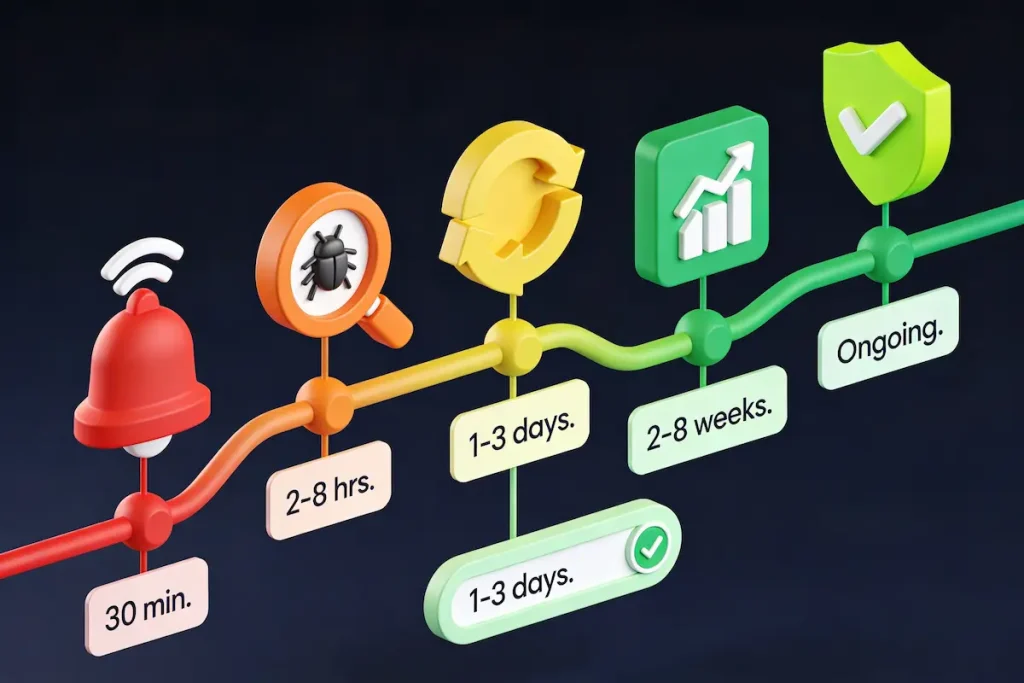
| Phase | What Happens | Timeline | DIY Difficulty |
|---|---|---|---|
| Detection and Triage | Confirm hack, secure accounts, contact hosting | 30 minutes to 2 hours | Easy |
| Malware Cleanup | Scan, identify, remove all infected files | 2 to 8 hours | Hard |
| Site Restoration | Restore from backup or rebuild clean files | 1 to 3 days | Hard |
| Google Review Request | Submit site for security review via Search Console | 5 minutes to submit, 1 to 3 day wait | Easy |
| SEO Recovery | Rankings begin returning to pre-hack positions | 2 to 8 weeks | Patience |
| Prevention Setup | Firewall, monitoring, maintenance plan active | 1 to 2 hours | Moderate |
How to Request Google’s Review
Once your site is fully cleaned, go to Google Search Console. Navigate to Security and Manual Actions, then Security Issues. You should see the specific issue Google flagged. Click “Request Review” and provide a clear description of what happened, what you cleaned, and what steps you’ve taken to prevent it from recurring. Be specific. “We updated all plugins, removed malware from these files, and installed a WAF” is much better than “we fixed it.”
What to Expect After the Review
Google typically processes security reviews within 1 to 3 business days. Some take up to a week in complex cases. Once approved, the red warning screen disappears almost immediately. However, your organic rankings may take 2 to 8 weeks to fully recover depending on how long the hack was active and how many pages were affected.
On a recent client recovery, a local services company had been hacked for approximately 3 weeks before discovering it. Their organic traffic dropped 82%. After cleanup and Google’s review approval, their warning was removed in 2 days, but full ranking recovery took 6 weeks. Another client who caught the hack within 24 hours was back to normal rankings in under 2 weeks. Speed of detection matters enormously.
The “Never Again” Prevention Checklist
Recovering from a hack is stressful. Recovering from a second hack is infuriating and preventable. Here’s how to make sure this never happens again.
Hosting Matters More Than You Think
Shared hosting (GoDaddy’s cheapest plans, Bluehost basic) means your site shares a server with hundreds of other sites. If one of them gets compromised, your site is at risk too. Managed WordPress hosting from providers like SiteGround, Cloudways, or WP Engine includes server-level firewalls, automatic backups, malware scanning, and isolation between accounts. The cost difference is $10 to $50/month. The security difference is enormous.
Plugin Hygiene Is Non-Negotiable
Since outdated or vulnerable plugins cause the vast majority of WordPress hacks, your plugin management is your first line of defense:
- Delete every plugin you’re not actively using. Deactivated plugins are still hackable.
- Limit your total plugin count to under 20. The more plugins you run, the larger your attack surface.
- Check plugins before installing. Look at last update date (avoid anything not updated within 6 months), active installations (avoid under 1,000), and support forum responsiveness.
- Enable automatic updates for minor releases. In WordPress, go to Plugins, then click “Enable auto-updates” for each active plugin.
The Security Stack We Install on Every Client Site
This is the exact protection setup we implement on every WordPress site we build:
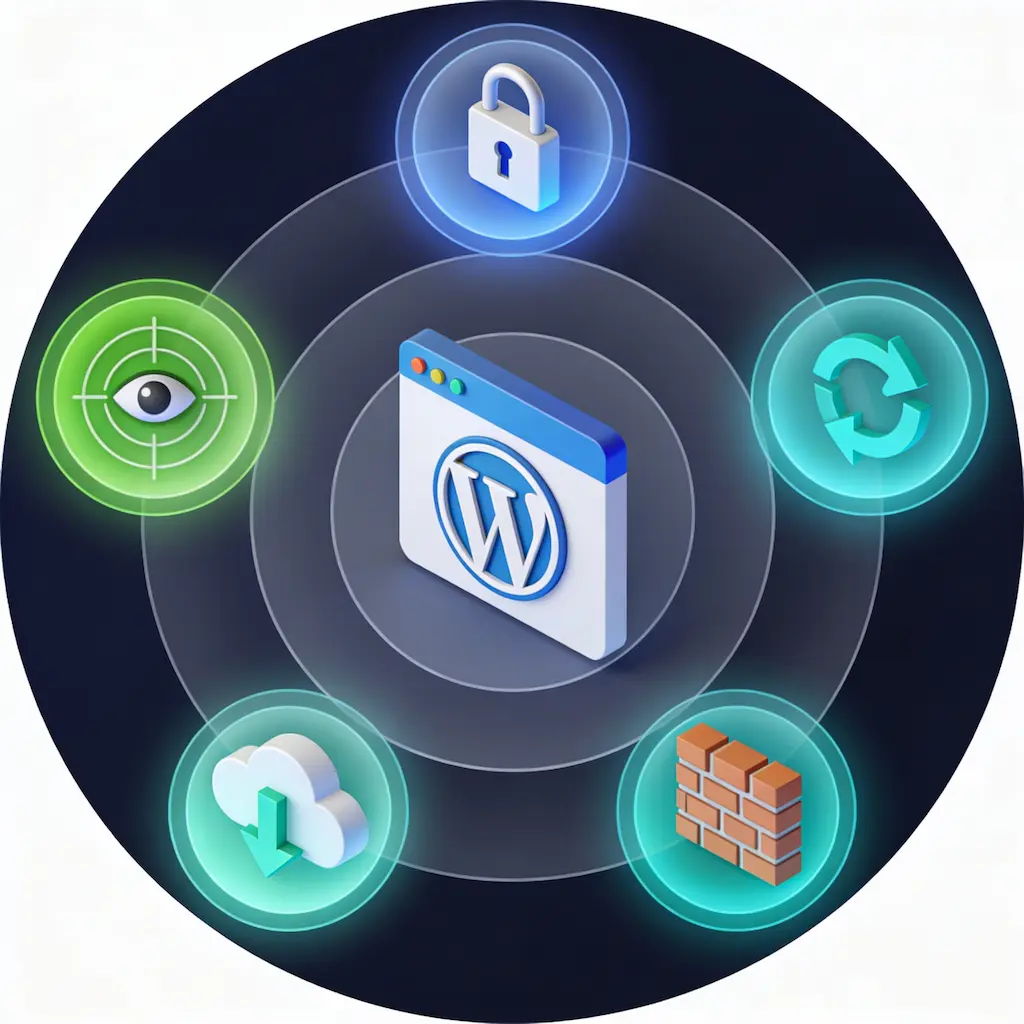
- Cloudflare DNS and CDN (free tier minimum) for DDoS protection and basic WAF rules
- Wordfence Premium or Sucuri Firewall for WordPress-specific threat detection and blocking
- UpdraftPlus for automated daily backups stored offsite (Google Drive or Amazon S3)
- Two-factor authentication on every admin account using Google Authenticator or Authy
- Login attempt limiting (built into Wordfence, or use Limit Login Attempts Reloaded)
- Weekly automated security scans with email alerts for any issues detected
For clients who don’t want to manage any of this themselves, our WordPress maintenance plans handle updates, backups, security monitoring, and malware removal for a flat monthly fee. Think of it as insurance that also includes a mechanic.
WordPress Site Hacked Fix: When to DIY vs Call a Professional
We’ll be direct here. We offer recovery services, so we have a financial incentive to say “always hire a pro.” But that wouldn’t be honest. Here’s the genuine breakdown:
| Factor | DIY Recovery | Professional Recovery |
|---|---|---|
| Cost | $0 to $200 (security plugin premiums) | $300 to $1,500 (one-time cleanup) |
| Time Investment | 8 to 24+ hours of your time | 4 to 48 hours (their time, not yours) |
| Thoroughness | Risk of missing hidden backdoors | Professional tools scan deeper, catch more |
| SEO Recovery | You handle Google review yourself | They manage the full SEO recovery process |
| Prevention | You set up your own security stack | Enterprise-grade protection implemented for you |
| Best For | Technical founders with WordPress experience | Business owners who need their site back and need to focus on revenue |
Go DIY If:
- You’re comfortable navigating WordPress file structures
- You have a clean backup from before the hack
- The hack is limited to a single known infected plugin
- Your site isn’t an ecommerce store handling customer payment data
- You have 8+ hours to dedicate to the cleanup today
Call a Professional If:
- Your site handles customer payments or sensitive personal data
- You don’t have a clean backup to restore from
- The hack has been active for more than a week
- Google has blacklisted your site and you’re losing revenue every hour
- You’ve tried cleaning it once and it came back (reinfection means a backdoor was missed)
- Your time is worth more than $50/hour (a pro charges $300 to $1,500 but saves you 10 to 20+ hours)
For clients who’ve been through a hack and want automated protection going forward, our workflow automation services can set up monitoring systems that alert you the moment anything suspicious happens on your site.
Frequently Asked Questions
How do I know if my WordPress site has been hacked?
The most common signs are Google displaying a red “Deceptive site ahead” warning, your site redirecting to spam pages, unknown admin user accounts appearing in your dashboard, sudden extreme slowness, or hundreds of spammy pages indexed in Google Search Console. Run a free scan with Wordfence or use Sucuri’s free SiteCheck tool to confirm. If any of these signs are present, follow the 30-minute triage steps in this guide immediately.
Can I recover a hacked WordPress site without losing content?
Yes, in most cases all your content is recoverable. Malware typically injects code into existing files rather than deleting your content. Security plugins like Wordfence and MalCare can remove malicious code while preserving your original posts, pages, and media. If you have a recent backup from before the hack, restoring from that backup is the cleanest option and preserves everything.
How long does it take Google to remove a malware warning?
After you submit a security review request through Google Search Console, Google typically processes it within 1 to 3 business days. Some complex cases take up to a week. Once approved, the red warning screen disappears within hours. The key is providing Google with a detailed description of exactly what you found, what you cleaned, and what prevention measures you implemented.
How much does professional WordPress malware removal cost?
Professional one-time cleanup services typically range from $300 to $1,500 depending on the severity of the infection and the size of your site. Sucuri’s plan starts at $199/year including unlimited cleanups. At BK Web Designs, our emergency recovery service includes full cleanup, security hardening, Google review submission, and 30 days of monitoring. For ongoing protection, our maintenance plans start at $150/month.
Will my SEO rankings recover after a hack?
Yes, rankings almost always recover fully after a hack is properly cleaned and Google’s security review is approved. The timeline depends on how long the hack was active. Sites that catch the hack within 24 to 48 hours typically recover rankings within 2 weeks. Sites where the hack was active for weeks may take 4 to 8 weeks for full recovery. The faster you detect and clean the infection, the faster your SEO bounces back.
How can I prevent my WordPress site from being hacked again?
The essential prevention stack includes: managed hosting instead of cheap shared hosting, keeping all plugins and themes updated, deleting unused plugins entirely, installing a Web Application Firewall (Cloudflare free tier plus Wordfence), enabling two-factor authentication on all admin accounts, running automated daily backups stored offsite, and conducting regular security scans. For hands-off protection, consider a professional WordPress maintenance plan.
🚀 Need Professional Help?
Our emergency WordPress recovery service gets your site clean and back online within 24 to 48 hours. We also offer ongoing maintenance plans starting at $150/month to make sure this never happens again. Over 700 sites built and protected since 2014.